Google it!!!
Google Maps
Google
Timer
1. Go
to the Google Search Page: www.google.com
2. Enter: timer 5 minutes (or
whatever time you want)

3. Press
the enter key.

4. The
timer will automatically start counting down!
Click the speaker icon to mute the alarm.
Click the frame icon to switch to the full-screen mode.
Click the speaker icon to mute the alarm.
Click the frame icon to switch to the full-screen mode.
Google Translate
Basics:
1. Go
to: http://translate.google.com/
2. Enter
some text in the box at the left.
3. Choose
the desired target language at the right.
4. The
translated text will appear in the box at the right.
Extra Features:
§ Click
the microphone in the left box to “speak” what you want translated.
§ Click
the speaker icon in the right box to listen to the translation.

Google Search
Tips
Google
is commonly used to search for information, but it has a lot of “hidden”
features that can save you time!
Instructions:
1.
Go to www.google.com
2. In the search window, try the following:
2. In the search window, try the following:

Type a calculation and press enter.
You’ll see the answer in the results window.
Use the asterisks (shift + 8) for the multiplication symbol and the slash (under the question mark) for the division symbol.
§ 25 + 35 * 3 / 4 – 2
§ 1535 – 276
§ 14 * 3 – 6
Conversion
Tool

Type something similar to one of the following and press enter:
Be
sure to use the word “in.”
§ 1 mile in feet
§ 1 cup in tablespoons
§ 100 dollars in Euros
§ 180 c in f

Type “Define” and then the word you want defined:
§ define pragmatic
§ define congruent
§ define socialism

Type
the word “weather” and then the city (or city and state) and then press return
to see the weather conditions for the next 5 days:
§ weather Wichita
§ weather London
§ weather Portland, OR
Apps, Apps
and more Apps…
 Description
The
best app for addition and subtraction practice. Now with a completely designed
user interface.
KIDS
– You’ll love the games included in FlowPlus including Enter The Flow, Mad
Minute, Beat the Clock and Reversals. Collect Game Center Achievements and
challenge your friends to beat your scores on the Leaderboard!
PARENTS
– Your children can practice addition and subtraction in a way that adapts
directly to their ability. Eliminate the frustration of tools not tailored to
your child’s needs. FlowPlus will give your children the tools to practice
addition and subtraction NO MATTER THEIR SKILL LEVEL.
 Description*All articles
available at multiple reading levels
Description*All articles
available at multiple reading levels
 Description*All articles
available at multiple reading levels
Description*All articles
available at multiple reading levels
*First month free
News-O-Matic covers relevant news of the day in an engaging way, exploring its many facets through images, maps, videos, and games. Whether your interest is sports, science, world news, or wacky events, News-O-Matic delivers what’s making the news! It offers a window to the world and beyond helping readers become global citizens!
News-O-Matic covers relevant news of the day in an engaging way, exploring its many facets through images, maps, videos, and games. Whether your interest is sports, science, world news, or wacky events, News-O-Matic delivers what’s making the news! It offers a window to the world and beyond helping readers become global citizens!
Each daily issue features:
* Five dynamic
news articles at 3 reading levels
* Rich and detailed images, videos, and illustrations
* Maps relating the location of every story
* News Room for drawing or asking about the news
* An interactive history-based timeline
* Puzzles, games, fun facts, and many other elements for discovery
* Audio support for challenging vocabulary
* Rich and detailed images, videos, and illustrations
* Maps relating the location of every story
* News Room for drawing or asking about the news
* An interactive history-based timeline
* Puzzles, games, fun facts, and many other elements for discovery
* Audio support for challenging vocabulary
* Full stories
read aloud
* Improved design
* Bilingual articles (English and Spanish)
* Bilingual Read to Me (English and Spanish)
* Save or print articles
* Highlight text
* Citations
* Access to 10 past editions
* Improved design
* Bilingual articles (English and Spanish)
* Bilingual Read to Me (English and Spanish)
* Save or print articles
* Highlight text
* Citations
* Access to 10 past editions
All articles are written by professional children’s writers and reviewed by a child psychologist before publication to ensure emotionally safe content.
News-O-Matic is 100% ad-free. The app offers a 10-edition free trial, after which a subscription is required (subscription includes first month free).
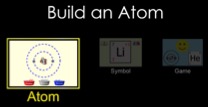
Description
Build an atom out of protons,
neutrons, and electrons, and see how the element, charge, and mass change. Then
play a game to test your ideas!
Sample Learning Goals
*Use the number of protons,
neutrons, and electrons to draw a model of the atom, identify the element, and
determine the mass and charge.
*Predict how addition or
subtraction of a proton, neutron, or electron will change the element, the
charge, and the mass.
*Use the element name, mass, and
charge to determine the number of protons, neutrons, and electrons.
*Define proton, neutron, electron,
atom, and ion.
*Generate an isotopic symbol for an
atom, given the number of protons, neutrons, and electrons.


